
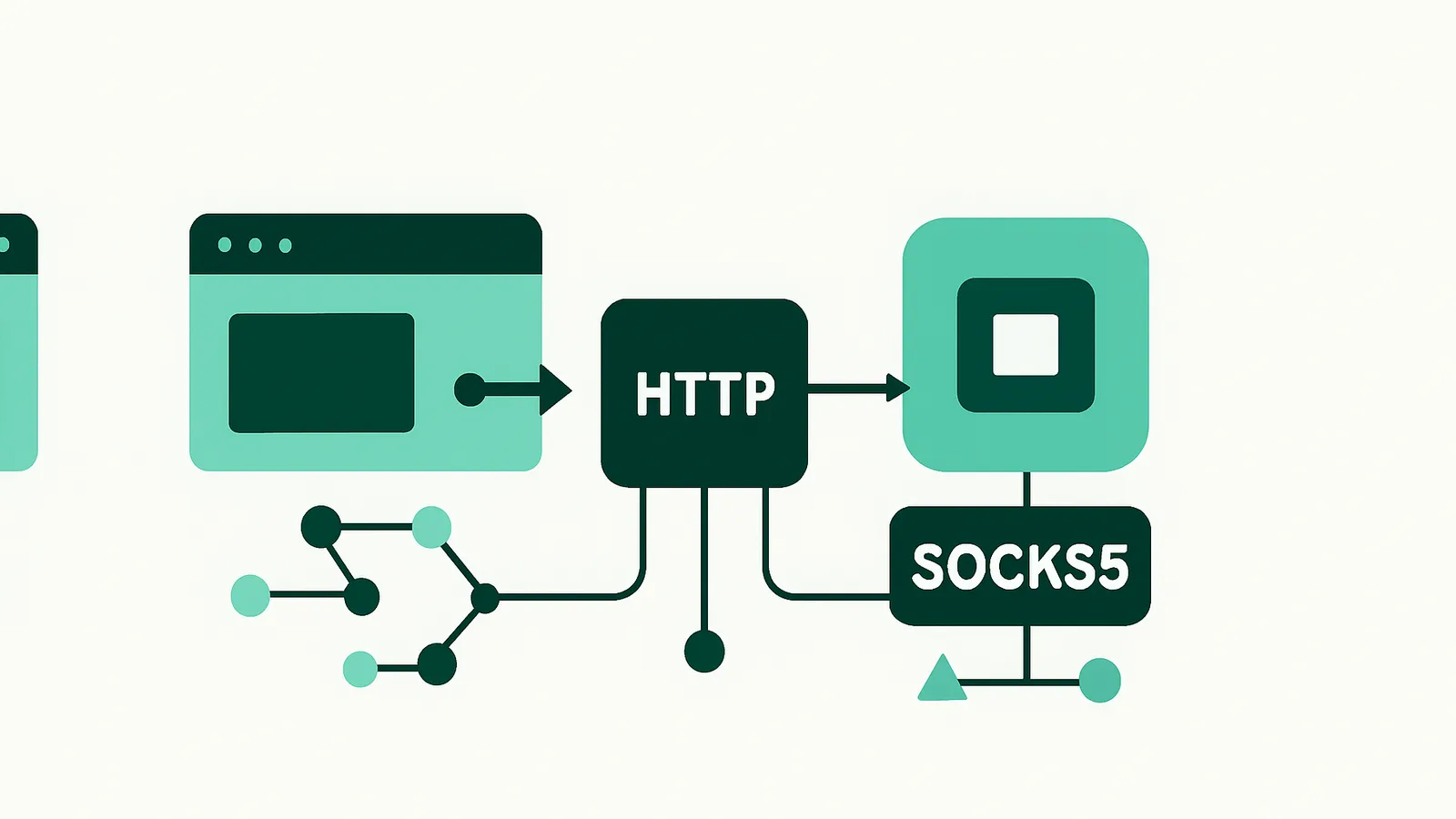
This guide gives a factual comparison between SOCKS5 and HTTP proxies: protocol mechanics, supported traffic, authentication, security, application compatibility, setup and honest scenarios where one is preferable over the other.
How HTTP and SOCKS5 proxies work
What Is an HTTP Proxy?
HTTP proxies operate at the application layer and are designed specifically to handle HTTP and HTTPS traffic. They receive web requests from your client, process or forward them to the destination server, and relay the response back. HTTP proxies can understand, parse, and sometimes modify web requests (such as headers, cookies, or URLs). When configured for HTTPS, they use the HTTP CONNECT method to tunnel encrypted traffic, but they do not decrypt or inspect the payload.
What Is a SOCKS5 Proxy?
SOCKS5 proxies operate at a lower layer (the session layer). Rather than understanding or parsing application protocols, a SOCKS5 proxy simply relays TCP (and optionally UDP) traffic between the client and the destination. This means it can handle nearly any protocol, including HTTP, HTTPS, FTP, SMTP, POP3, peer-to-peer, and more. SOCKS5 proxies are protocol-agnostic: they do not inspect, modify, or cache the data passing through.
SOCKS5 vs HTTP proxy: technical differences
| Feature | HTTP Proxy | SOCKS5 Proxy |
|---|---|---|
| Protocol Layer | Application (HTTP/HTTPS) | Session (TCP/UDP) |
| Traffic Supported | HTTP, HTTPS | Any TCP (and optionally UDP) |
| Protocol Awareness | Parses and can modify HTTP | Protocol-agnostic |
| UDP Support | No | Yes (if client and proxy both support) |
| Authentication | Username/Password, IP whitelisting | Username/Password, IP whitelisting |
| Encryption | HTTPS via CONNECT (tunnels, does not decrypt) | No native encryption (relies on application) |
| Use Case Fit | Browsers, web scraping, API calls | Generic apps, P2P, games, custom protocols |
HTTP CONNECT vs SOCKS5
- HTTP CONNECT: Used by HTTP proxies to tunnel HTTPS traffic. The proxy establishes a TCP connection to the target server and blindly forwards encrypted data. The proxy cannot inspect or modify encrypted content.
- SOCKS5: Works as a general-purpose relay for any TCP (and optionally UDP) traffic. It does not interpret the traffic's content, making it suitable for a wide range of applications beyond web browsing.
What traffic do SOCKS5 and HTTP proxies support?
HTTP Proxies
- Web Browsing: Ideal for browsers, web scraping tools, and any client that uses HTTP or HTTPS.
- API Access: Well-suited for REST APIs, GraphQL endpoints, and similar web protocols.
- Content Filtering and Caching: HTTP proxies can (in some implementations) inspect and cache web content, making them useful for filtering or performance optimization.
- Limitations: Cannot be used for non-HTTP protocols (e.g., FTP, SMTP, or custom TCP/UDP applications).
SOCKS5 Proxies
- Versatility: Supports any TCP-based protocol, including HTTP, HTTPS, FTP, SMTP, POP3, IMAP, SSH, BitTorrent, and many more.
- UDP Support: SOCKS5 supports UDP traffic (if both the client and proxy support it), making it suitable for applications like VoIP or streaming.
- Protocol Agnosticism: The proxy does not parse or modify your traffic, making it ideal for non-web applications and protocols.
- Limitations: No native support for protocol-level caching, filtering, or inspection. Encryption is only provided by the application layer (e.g., HTTPS, SSH).
Authentication and security
Both HTTP and SOCKS5 proxies on Nefo support username/password authentication, and you can also authorize by IP allowlist. Use strong, unique credentials either way.
- HTTP proxy authentication: standard HTTP Basic Authentication (username/password) is supported by most HTTP clients, browsers and automation frameworks.
- SOCKS5 proxy authentication: SOCKS5 natively supports username/password authentication, and most clients (including Python, curl and browser extensions) can pass credentials.
Encryption:
- HTTP proxies: when using HTTPS, the proxy tunnels encrypted traffic but does not decrypt it. Security relies on the end-to-end encryption between client and server.
- SOCKS5 proxies: SOCKS5 does not provide encryption by itself. Security relies on the application protocol (HTTPS, SSH, or TLS-enabled mail clients).
Note: never send sensitive data over plain HTTP through an HTTP proxy. Always use HTTPS or another protocol with end-to-end encryption.
Which apps support SOCKS5 and HTTP proxies?
HTTP Proxy Compatibility
- Web Browsers: All major browsers (Chrome, Firefox, Edge, Safari) natively support HTTP proxies.
- Web Scraping Tools: Most HTTP clients and libraries (requests, urllib, cURL, Selenium, Puppeteer) support HTTP proxies out of the box.
- API Clients: Tools like Postman, Insomnia, and most SDKs support HTTP proxies.
SOCKS5 Proxy Compatibility
- Browsers: Chrome and Firefox support SOCKS5 proxies, but configuration may be less straightforward (may require extensions or OS-level settings).
- Command-line Tools: curl, wget, and many CLI tools support SOCKS5 via flags or environment variables.
- Programming Libraries: Python (requests with socks support, PySocks), Node.js (socks-proxy-agent), and Java all provide SOCKS5 support.
- Custom Applications: Useful for protocols that are not web-based, such as mail clients, FTP, SSH, VoIP, and peer-to-peer apps.
Tip: If your application supports both, SOCKS5 is more flexible. If it only supports HTTP, use an HTTP proxy.
Is SOCKS5 faster than HTTP? Common myths
Speed Myths
There is no inherent speed advantage to HTTP or SOCKS5 proxies. The actual performance depends on network quality, proxy implementation, and the application’s protocol overhead. SOCKS5 is often perceived as “faster” because it is protocol-agnostic and adds minimal overhead, but for typical web traffic, the difference is negligible.
- HTTP Proxy: May add slight latency due to protocol parsing, especially if caching or filtering is enabled (not the case with Nefo's transparent relay mode).
- SOCKS5 Proxy: Minimal protocol overhead; the proxy simply relays data packets.
Real-World Factors
- Network Conditions: Latency, routing, and congestion affect both protocols equally.
- Proxy Server Quality: Nefo operates its own network, ensuring consistent performance across both HTTP and SOCKS5 endpoints.
- Client Implementation: Some clients handle proxy connections more efficiently than others.
When to use SOCKS5 and when to use an HTTP proxy
When to Use HTTP Proxies
- Your application only supports HTTP/HTTPS proxies (common with browsers and web scraping tools).
- You need to access web-only resources (websites, REST APIs, web automation).
- You want the proxy to potentially filter or log HTTP requests (not applicable to Nefo, which operates transparent relays).
When to Use SOCKS5 Proxies
- Your application uses non-HTTP protocols (FTP, SMTP, SSH, peer-to-peer, streaming, etc.).
- You require UDP support (and your client implements SOCKS5 UDP).
- You need protocol-agnostic relaying (for custom apps or advanced automation).
- You want to route all system traffic (OS-level proxy settings often support SOCKS5 for all TCP/UDP traffic).
When NOT to Buy One Over the Other
- Do not buy a SOCKS5 proxy if your application only supports HTTP proxies.
- Do not buy an HTTP proxy if you need to proxy non-web protocols or UDP traffic.
- For general web scraping, both work—use whichever your tool supports best. For multi-protocol or advanced use, SOCKS5 is usually the safer choice.
SOCKS5 vs HTTP proxy comparison table
| Feature | HTTP Proxy | SOCKS5 Proxy |
|---|---|---|
| Application Layer | HTTP, HTTPS | Any TCP/UDP |
| Protocol Awareness | Yes (can parse/modify HTTP) | No (protocol-agnostic) |
| UDP Support | No | Yes (if supported) |
| Authentication | Username/Password | Username/Password |
| Encryption | Via HTTPS (tunneling only) | Application-level only |
| Client Compatibility | Browsers, web tools | Browsers, CLI, custom apps |
| Use Case Fit | Web scraping, API, browsing | Multi-protocol, custom, P2P |
| Nefo Support | Yes (all products) | Yes (all products) |
How to set up HTTP and SOCKS5 proxies
Nefo provides both HTTP and SOCKS5 endpoints for every proxy product (residential, mobile, datacenter, static IP). Setup is similar across protocols, with differences only in the client’s configuration.
Example: Using HTTP Proxy
Python (requests):
proxies = {
    'http': 'http://username:[email protected]:port',
    'https': 'http://username:[email protected]:port',
}
response = requests.get('https://example.com', proxies=proxies)
Browser Configuration:
- Chrome/Firefox: Go to network/proxy settings, add Nefo’s HTTP proxy address, port, and credentials.
Example: Using SOCKS5 Proxy
Python (requests with PySocks):
import requests
proxies = {
    'http': 'socks5h://username:[email protected]:port',
    'https': 'socks5h://username:[email protected]:port',
}
response = requests.get('https://example.com', proxies=proxies)
curl command-line:
curl -x socks5h://username:[email protected]:port https://example.comBrowser (Firefox):
- Go to Settings > Network Settings > Manual proxy configuration > SOCKS Host: Enter Nefo SOCKS5 proxy, port, and credentials.
Choosing a Protocol in Nefo
- You do not need to purchase a specific protocol. All Nefo proxies support HTTP, HTTPS, and SOCKS5 on the same endpoint.
- Simply configure your client for the protocol you need.
Best practices for choosing a proxy protocol
- Match Protocol to Application: Choose HTTP for web-only tasks; SOCKS5 for multi-protocol or advanced needs.
- Use Strong Authentication: Always use unique, strong passwords for your proxy credentials.
- Prefer Encrypted Protocols: Use HTTPS or other encrypted protocols with either proxy type for sensitive data.
- Rotate or Stick as Needed: Nefo supports both rotating (fresh IP per request) and sticky (up to 24 hours) sessions—choose based on your workflow.
- Monitor Usage: For residential and datacenter proxies, purchased traffic does not expire. For mobile, manage your daily bandwidth cap per port.
- Geo-targeting: Both protocols support geo-targeting via the username string; see Residential Proxies Documentation for details.
- Avoid Unsupported Uses: Never use proxies for unauthorized activity or to violate site terms.
Conclusion
Both SOCKS5 and HTTP proxies route traffic through an intermediary, but their differences matter when you choose. HTTP proxies suit web-centric tasks and are supported by most browsers and HTTP clients. SOCKS5 proxies are more flexible, supporting any TCP traffic and, where the client and proxy allow it, UDP, which makes them suitable for non-web applications and automation.
With Nefo you do not have to choose at purchase time. Every proxy supports HTTP, HTTPS and SOCKS5, with geo-targeting and flexible session management. UDP over SOCKS5 is available on residential proxies Pool 1 and on datacenter proxies; static residential ISP IPs support HTTP(S) and SOCKS5 without UDP. See SOCKS5 proxies and HTTP proxies, then check pricing or create your account.
Frequently asked questions
HTTP proxies understand and handle HTTP and HTTPS web traffic only. SOCKS5 proxies relay any TCP traffic, and optionally UDP, without parsing it, so they work for email, FTP, P2P and other non-web applications.
Yes. Every Nefo proxy supports HTTP, HTTPS and SOCKS5, so you choose the protocol in your client. Gateway ports differ per mode; see SOCKS5 proxies for client setup.
Both work. Use HTTP if your scraping tool only supports HTTP proxies, which is common. Use SOCKS5 when you need remote DNS with socks5h, non-web traffic or system-wide routing.
Yes, when both client and proxy implement it. Nefo supports UDP over SOCKS5 on residential Pool 1 and on datacenter proxies; static residential ISP IPs do not carry UDP.
Not by themselves. SOCKS5 does not encrypt traffic, and an HTTP proxy tunnels HTTPS without decrypting it. Security comes from end-to-end encryption such as HTTPS, SSH or TLS.
Use your proxy username and password, or authorize your server's IP by allowlist. Targeting tokens go in the username. See the docs and SOCKS5 vs SOCKS5h for DNS handling.